
Blog
How to Generate Photorealistic AI Images in 2026
By MetaHill Tech · October 10, 2026
Photorealism is mostly prompt discipline: describe the shot like a photographer—lens, light direction, materials, grade—then pick the model that matches the job. Below are six habits, a high-level model map, and scene prompts you can run today in UltraPix.
Six habits that separate photos from renders
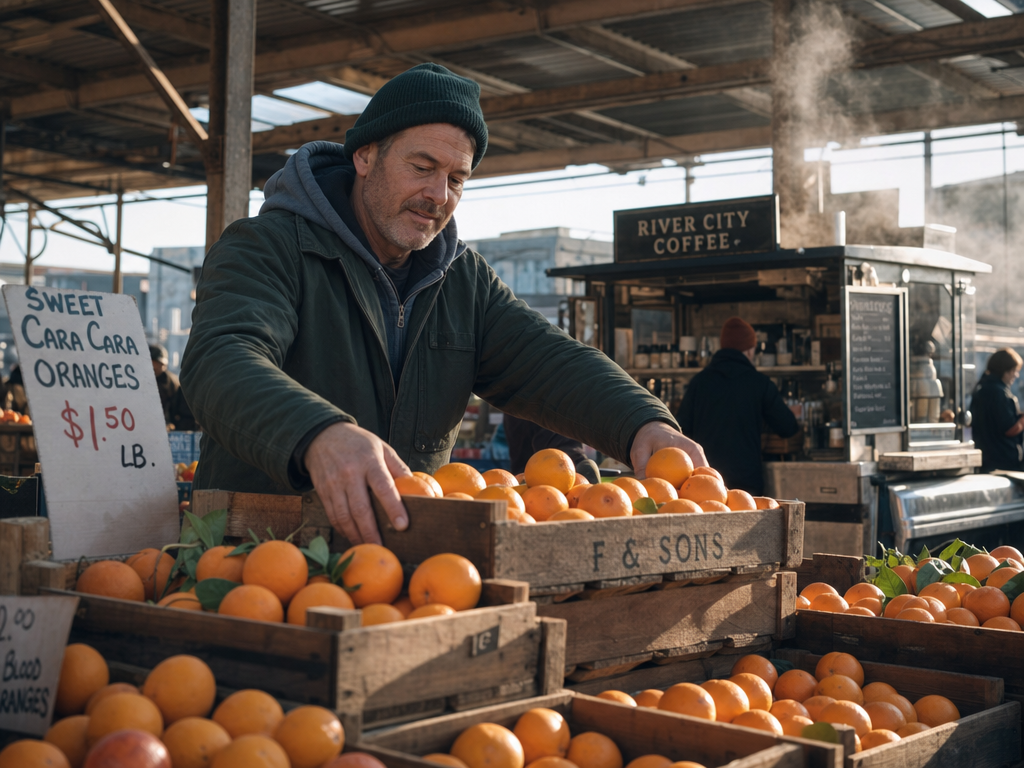
1. Picture the whole scene. Relationships beat keyword lists—vendor, stall, slanting light, steam behind him reads as a place, not a stock composite.
2. Lens and focus. Name focal length and aperture; pin focus on the hero detail while the bench falls soft.
3. Light direction. Hard side light, golden hour, or overcast sky each imply different shadow edges—say where the source sits.
4. Materials. "Fabric" is vague; "navy wool tweed with visible weave" or "brushed steel scissors" gives surfaces to catch light.
5. Color grade and film stock. Ask for muted teal, Kodachrome warmth, or faded 1990s green shadows instead of "cinematic."
6. Positive framing. Describe the empty alley at dawn instead of negating crowds—negations sometimes backfire.
Practice the habits inside UltraPix; fundamentals live in how to write AI image prompts and AI image generator.
Source: Fal Whole scene — market vendor
Prompt
A market vendor arranging crates of oranges at a covered stall, early light slanting through gaps in the roof, steam drifting up from a coffee cart behind him, shot at eye level on a 35mm lens.
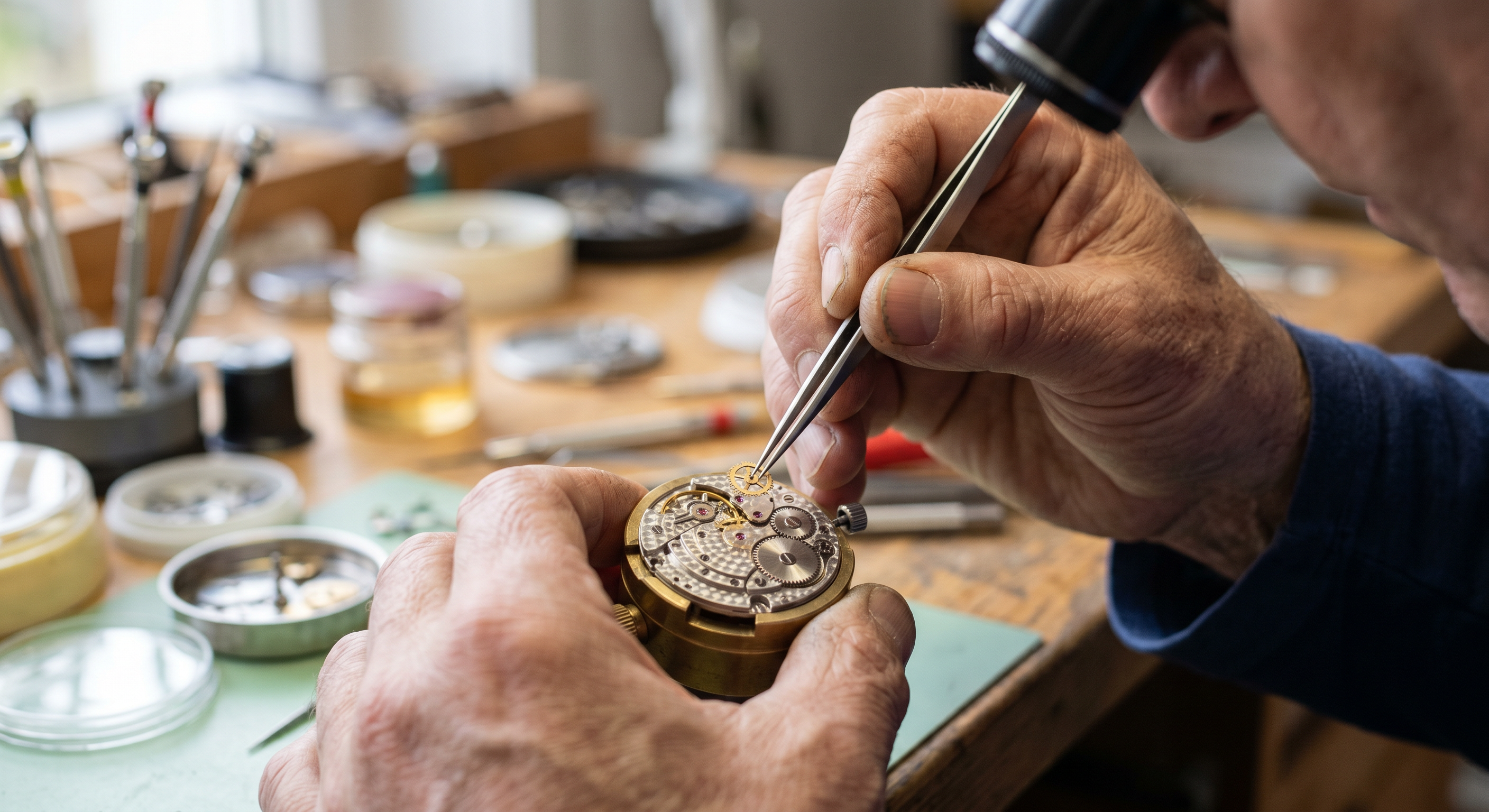
Source: Fal Lens and focus — watchmaker macro
Prompt
A close-up of a watchmaker's hands fitting a tiny gear into a movement, shot on a macro lens at f/2.8 with the focus pinned to the gear and the workbench falling soft behind it.
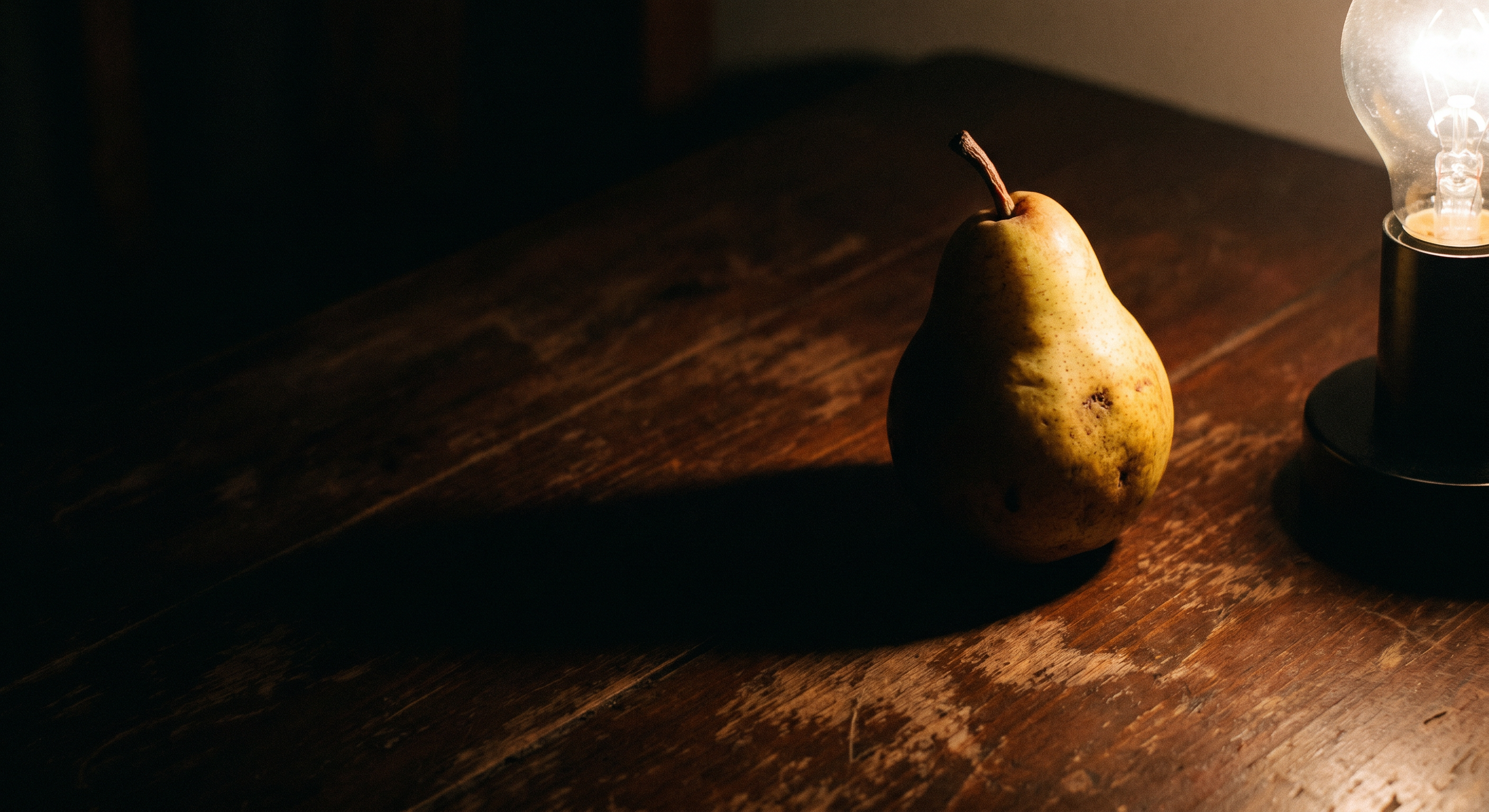
Source: Fal Hard light — pear still life
Prompt
A single ripe pear on a dark table, lit hard from the right by one bare lamp so a long shadow rakes across the surface and the left side drops toward black.
Materials — tweed and steel
Prompt
A folded stack of navy wool tweed beside a pair of brushed-steel tailor's scissors on a worn oak counter, soft daylight coming in from a side window.
Grade — teenager skateboard
Prompt
A teenager mid-kickflip on a skateboard in an empty parking lot at dusk, graded toward faded 1990s film with green-leaning shadows and soft grain.
Positive framing — quiet alley
Prompt
A quiet cobblestone alley at first light, shutters still closed, wet stones reflecting a soft grey sky, empty and still.
Which model when (high level)
GPT Image 2 — Strong when prompts must be followed literally and text appears inside the scene (menus, posters, infographics). Use draft passes for layout, then a high-detail pass for finals. See GPT Image 2.5 / GPT Image family on UltraPix and comparison with Nano Banana 2.
Nano Banana 2 — Fast, vibrant output with solid in-image text; great for volume drafts and social frames. Strong when prompts name real places or landmarks. Pair with Nano Banana 2.1 and the reasoning guide.
Nano Banana Pro — Deeper planning for dense compositions and multi-line typography; ideal for campaign boards and packaging. Start from the prompting guide and feature page.
FLUX 2 MAX — Rich, painterly realism and elaborate texture stacks; excellent for crowded still lifes and editorial drama. Use the FLUX 2 MAX prompt guide when scenes get visually dense.
Treat the first render as a draft: upscale or run image-to-image in UltraPix instead of rerolling entire prompts for tiny fixes.
Quiet mistakes that flatten realism
Keyword dumps, quality-booster spam ("ultra realistic masterpiece"), negation lists, and overstuffed single sentences all compete for attention the model could spend on light and materials. Split complex shots across ordered sentences: subject, setting, light, lens, grade.
When you need words in-frame, quote them and name typography—otherwise expect misspellings. For product teams, chain into AI product photography and product prompt lists.
Iteration workflow
Photorealism is iterative even when the first frame looks "good enough." Save the prompt in your notes app, duplicate it, and change one photographic variable per generation—aperture, time of day, or grade—so you learn what the model actually listens to.
When skin, fabric, or metal looks plastic, add micro-texture ("visible pores," "chipped enamel edge," "brushed radial scratches on cap") instead of raising resolution. Use UltraPix image-to-image to relight a keeper composition rather than rerolling the entire scene.
For marketplace listings, chain background removal and upscale after the photoreal pass so edges stay crisp on white seamless exports. Compare model families using the same vendor prompt above—market vendor, watchmaker macro, pear still life—to see which engine matches your category.
Run these prompts in UltraPix
Paste a prompt and generate in seconds with text-to-image and image-to-image.

FAQ
- What makes an AI image look photorealistic?
- Directional light, believable materials, a defined camera angle, and focus that matches a real lens behavior—described explicitly in the prompt.
- Which model should I pick?
- Match the brief: text-heavy layouts → GPT Image family; fast social drafts → Nano Banana 2; complex type → Nano Banana Pro; dense texture → FLUX 2 MAX. UltraPix lets you switch models per generation.
- Can I fix a small flaw without a full reroll?
- Yes. Upload the render to image-to-image, state what stays locked, and describe one change—background, label color, or prop swap.
Get UltraPix
Download UltraPix to try text-to-image, background removal, and upscale in one app.