
Blog
Nano Banana 2 Guide: Reasoning-Guided Images for Creators
By MetaHill Tech · October 10, 2026
Nano Banana 2 plans, evaluates, and improves before it paints—so typography, diagrams, and tricky spatial scenes fail less often than on pure diffusion models. This guide covers how reasoning changes your prompts, how to request text and layouts, and copy-ready examples you can paste into UltraPix.
What reasoning-guided generation means for you
Traditional diffusion models guess patterns. Nano Banana 2 adds a planning step: identify required text, validate spatial relationships, check diagram logic, then refine until the brief passes. That is why "OPEN" renders as four letters—not blob shapes—and why mirror scenes can keep reflection logic straight.
Prompt like you are instructing a careful illustrator: state explicit requirements ("text must read exactly 'SALE'"), limit simultaneous text elements (roughly three to five per frame), and put literal copy in quotes with placement cues (centered, above door, on towel embroidery).
Pair this guide with Nano Banana 2.1, the deeper briefs in Nano Banana Pro, and Nano Banana Pro prompting. Compare tradeoffs in GPT Image 2 vs Nano Banana 2.
Text rendering and diagram tips
Use quotes for every string that must appear on-image. Add typography family or use case (medical textbook illustration, professional diagram). For educational content, name each label and what it points to—leader lines should terminate on the correct structure.
Keep handwriting prompts short and medium-specific ("clean handwriting, blue marker") for whiteboard math. For flowcharts, enumerate boxes and arrows in order so the planner can validate sequence.
Coffee shop OPEN sign
Prompt
Modern coffee shop with 'OPEN' neon sign, warm lighting, customers at tables
Bathroom mirror spatial logic
Prompt
Bathroom mirror shot showing reflection of a motivational poster on the wall behind the viewer, poster text reading 'NEVER GIVE UP' visible in the mirror reflection, toothbrush holder on sink counter with label 'FRESH' visible in actual scene (not reflection), towel with embroidered text 'HOTEL LUXE' hanging on right side of actual wall
Whiteboard quadratic equation
Prompt
Whiteboard: quadratic equation
Equation: ax² + bx + c = 0
Solution: x = (-b ± √(b²-4ac)) / 2a
Clean handwriting, blue marker
Business flowchart
Prompt
Business flowchart:
Box 1: 'Receive Order'
Arrow to Box 2: 'Process Payment'
Arrow to Box 3: 'Ship Product'
Professional diagram style
Nano Banana prompt ideas that travel well
Nano Banana models excel at typography in layouts, product realism, and multi-step edits when you describe composition ratios (for example, two-thirds copy, one-third portrait). They also respond well to explicit lens language—35mm, 85mm product, isometric illustration.
Use these for text-to-image. For image-to-image, upload a reference still and append only the lines that should change (lighting, background, medium). Catalog shots get channel-specific wording in our product photography prompts and deeper Lock/Change syntax in the Nano Banana Pro prompting guide.

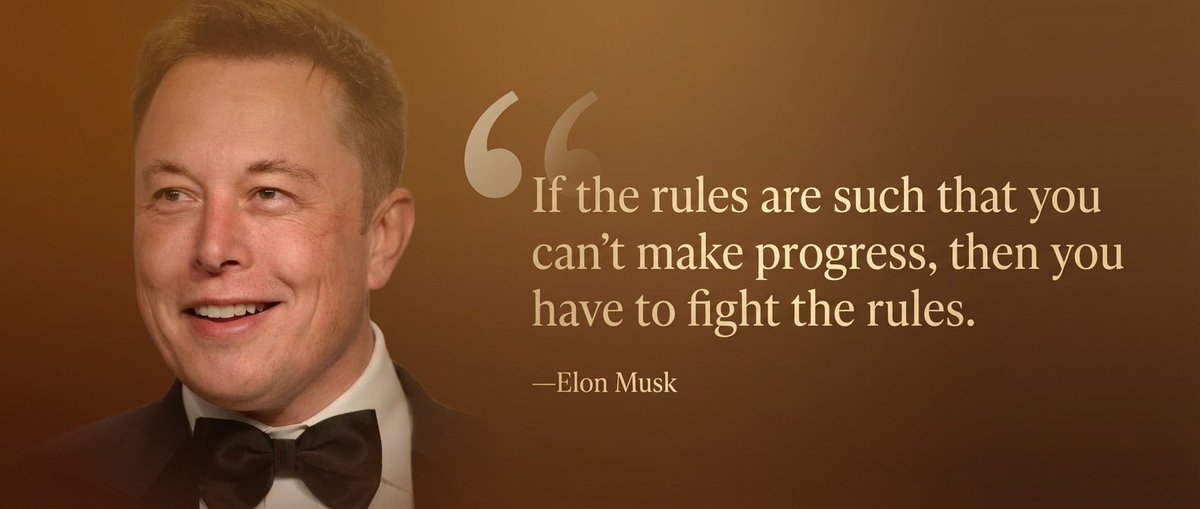
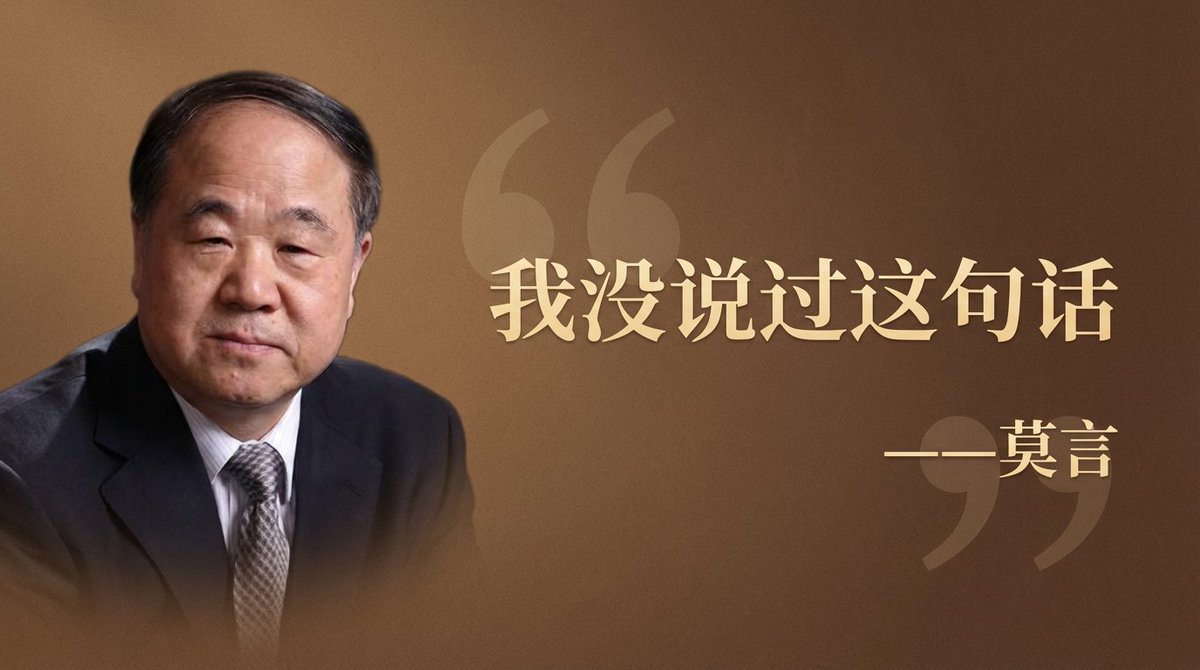
Source: YouMind Quote card with portrait split layout
Prompt
Wide quote card, warm brown background, light gold serif quote text on the right two-thirds, subtle oversized quotation mark, portrait on the left one-third with soft gradient edge, quote: “Curiosity beats certainty.” attribution smaller beneath.
Tip: Lead with layout ratios (2/3 text, 1/3 portrait) before color details.
Source: YouMind E-commerce hero on seamless white
Prompt
Studio product photo of a matte black wireless earbuds case, centered, softbox lighting, pure white seamless background, subtle ground shadow, 85mm lens look, sharp label text, 4:5 crop for Instagram Shop.
Tip: Name the marketplace (Shop, Amazon) so aspect ratio and shadow match the channel.
Source: YouMind Cinematic street portrait at blue hour
Prompt
35mm film still, woman in cobalt coat crossing rainy Tokyo alley, neon reflections in puddles, shallow depth of field, anamorphic lens flare, moody blue hour, natural skin texture, no beauty filter.
Tip: Stack one camera cue (35mm) + one lighting cue (blue hour) instead of five adjectives.
Isometric app feature illustration
Prompt
Isometric illustration of a mobile AI art app on a desk, purple accent UI, floating image tiles, clean vector shading, minimal background, tech blog header aspect 16:9.
Tip: Use isometric + aspect ratio when the image must fit a blog or Play Store feature graphic.
Spatial composition and aspect ratios
Complex arrangements—foreground signage, reflected poster text, props on counters—need explicit spatial roles (actual scene vs mirror reflection). Nano Banana 2 validates those roles before final render, which reduces swapped labels and duplicated text.
The model composes natively across aspect ratios instead of cropping a landscape frame. Treat 9:16 as vertical storytelling (posters, stories), 16:9 as hero banners, 1:1 as product tiles, and 21:9 as cinematic width. In UltraPix, pick ratio before generating so subject placement matches the destination feed.
Resolution strategy: draft at standard size, select the best composition, then regenerate at 2K/4K for print or marketplace zoom. PNG preserves sharp type; JPEG is fine for photo-only scenes without lettering.
Next steps in UltraPix
Paste the prompts above into text-to-image, then vary one constraint at a time. When typography almost works, switch to image-to-image with a Lock clause instead of rewriting from scratch.
For photoreal habits (lens, materials, grade), read photorealistic AI image generation. For FLUX-style dense scenes, see the FLUX 2 MAX prompt guide. Run them in UltraPix.
Limits worth planning around
Reasoning-guided models still fail when you overload one frame: ten labels, three paragraphs of poster copy, and a reflective floor will compete for planner attention. Split infographics into panels or generate a clean background plate first, then add type in a second image-to-image pass with a Lock on the plate.
Mirror and reflection prompts need explicit roles—what exists in the room vs what appears only in glass. If labels swap between reflection and reality, rewrite with "visible in mirror only" and "on actual wall" clauses like the bathroom example above.
For model strengths and more sample prompts, see Nano Banana 2.1.
Run these prompts in UltraPix
Paste a prompt and generate in seconds with text-to-image and image-to-image.

FAQ
- When should I pick Nano Banana 2 over a faster model?
- Choose it when legible text, diagrams, mirror logic, or multi-label layouts matter more than raw speed.
- How many text elements can one image handle?
- Aim for three to five distinct strings with quoted copy and placement. Split busy infographics across multiple generations.
- Does UltraPix expose Nano Banana 2?
- Model names rotate, but Nano Banana 2 / 2.1-class engines appear in the in-app picker. Match this guide's prompts to whichever reasoning-capable model you see selected.
Get UltraPix
Download UltraPix to try text-to-image, background removal, and upscale in one app.