Blog
Nano Banana Pro Prompting Guide: Templates, Edits, and Copy-Paste Examples
By MetaHill Tech · October 10, 2026
Nano Banana Pro plans composition before pixels land—so prompts that read like creative briefs outperform keyword soup. Below: the full brief template, anti-slop habits, Lock/Change edit syntax, and pattern library examples with sample outputs. Run them via UltraPix and our Nano Banana Pro feature overview.
How Nano Banana Pro reads your brief
The model reasons about layout, light, and typography before rendering. That means a sentence of audience context—"for a premium DTC landing page"—often beats another vague adjective. It also explains strong results on whiteboards, diagrams, and posters when you specify relationships, not mood words alone.
For text-to-image, stack: Subject, Action, Setting, Style, Composition/camera, Lighting/color, quoted Text, and Constraints ("no hands, no logos"). For edits, lead with Lock (what must not move), then Change, Amount, and Constraints. See also how to use Nano Banana Pro and the Nano Banana 2 guide for reasoning-native typography.
Hero product brief + environment swap edit
The water-bottle brief below is a full art-director pass—materials, lens, grade, and on-image copy. The follow-up edit demonstrates Lock/Change syntax for background swaps without relighting the product.
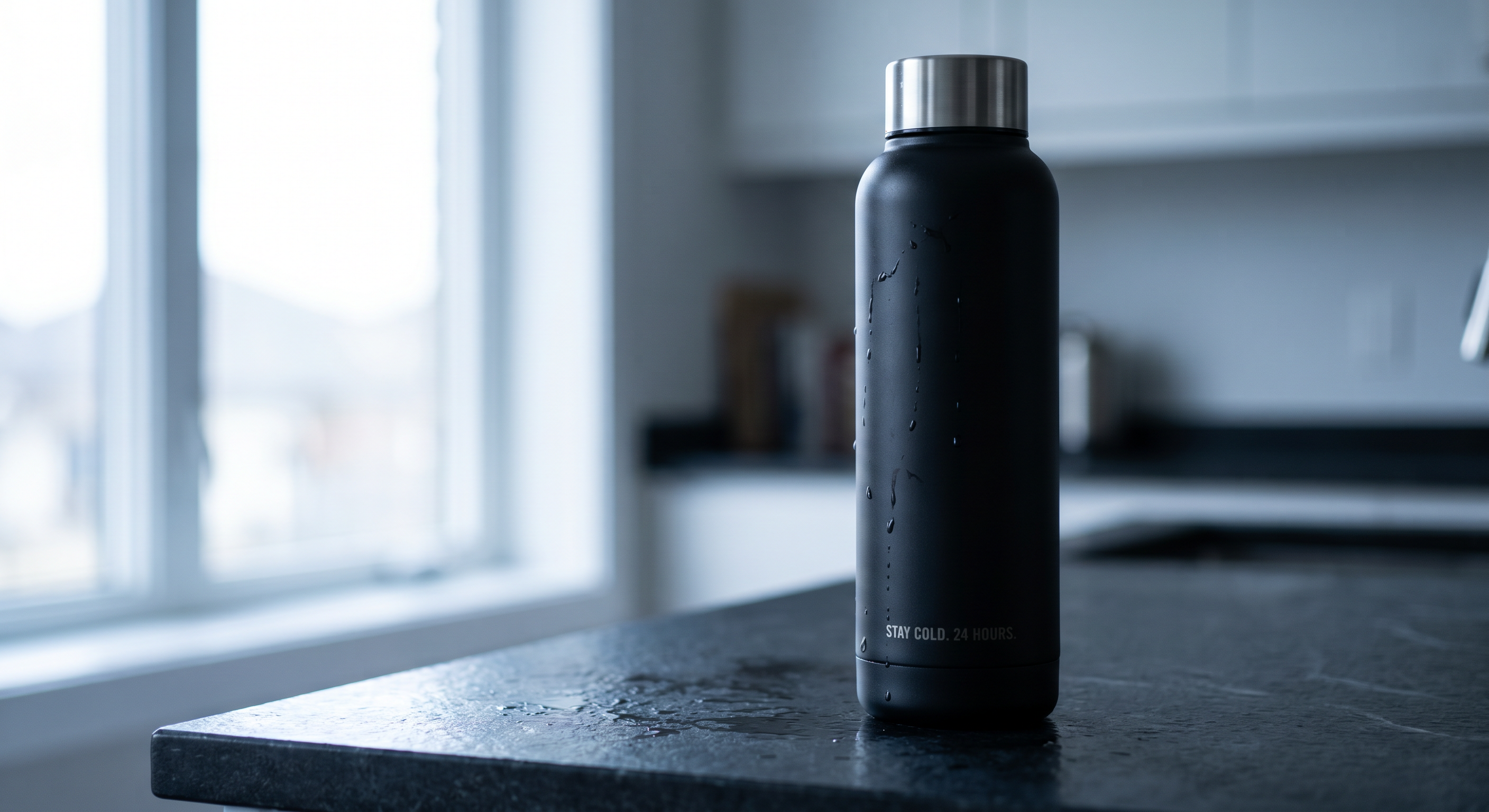
Source: Fal Commercial hero (text-to-image)
Prompt
A matte-black stainless steel insulated water bottle, 750ml, with a slim cylindrical body and a brushed metal cap. The bottle stands upright on a wet slate countertop, a few condensation droplets sliding down its side, mid-morning. In a quiet kitchen by a north-facing window, soft overcast daylight coming from the left. Photoreal, high-end commercial product photography, the kind you'd see on a premium DTC brand's landing page. Tight three-quarter hero shot, slightly below eye level looking up to make the bottle feel tall and substantial, shot on an 85mm lens at f/8 so the whole product stays sharp while the background falls into soft blur. Lit with one large softbox from the left and a subtle reflector on the right to control the falloff; cool, desaturated grade with clean neutral whites and a faint blue cast in the shadows. The words "STAY COLD. 24 HOURS." set in small caps along the lower third. No other props, no hands, no visible brand logos, no harsh specular hotspots on the metal.
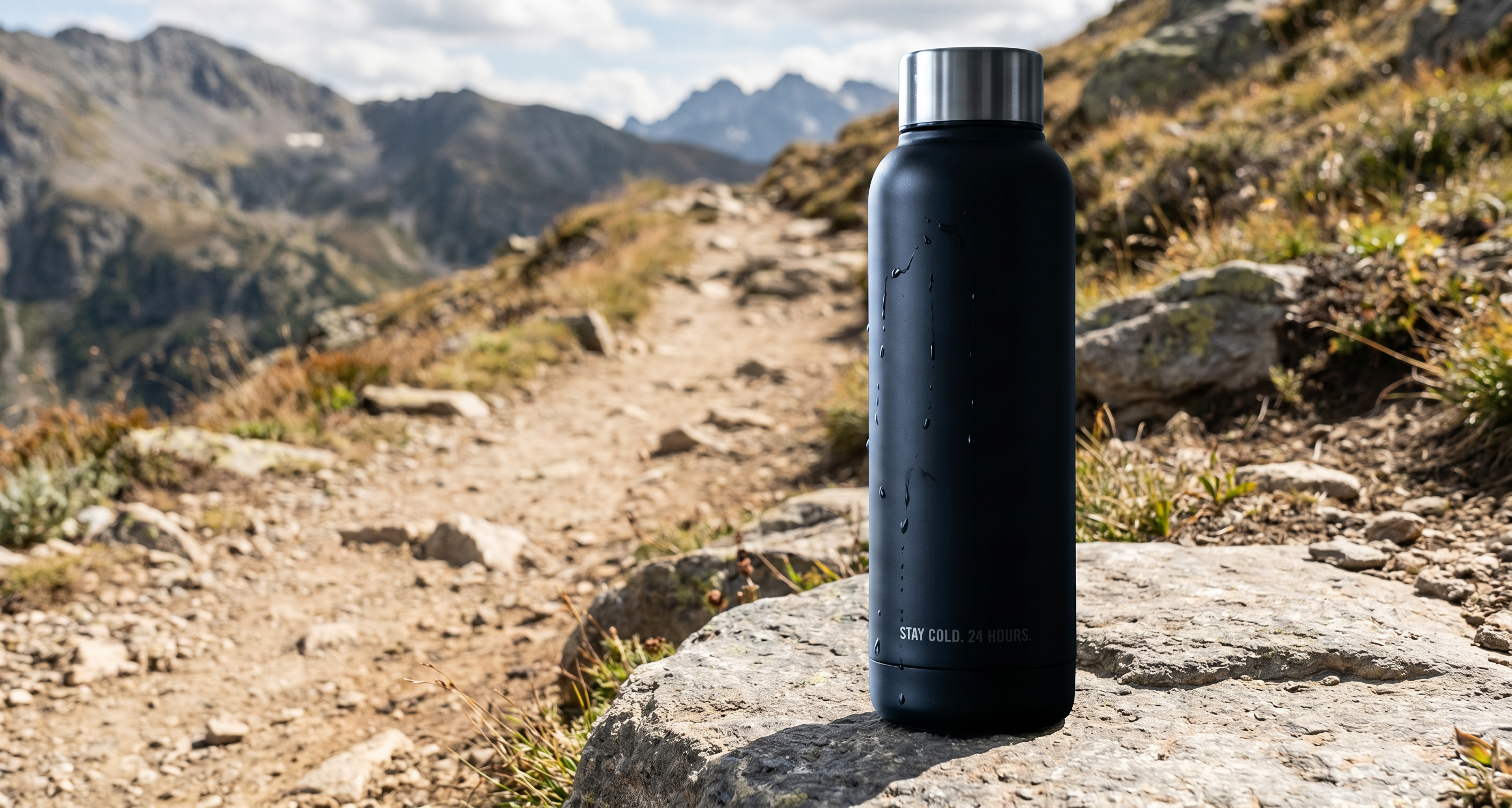
Source: Fal Lock/Change background edit
Prompt
Lock: the water bottle: matte-black finish, brushed cap, slim cylindrical body, the "STAY COLD. 24 HOURS." text, the condensation droplets, its size and position in frame, and the three-quarter hero angle. Change: swap the kitchen-counter background for a flat grey boulder beside a sunlit mountain hiking trail. Amount: full environment swap, understated: soft natural daylight, not golden hour; bottle looks shot on location, not composited. Constraints: don't relight or recolor the bottle beyond the new ambient light; no new reflections or hotspots on the metal; keep the original cool grade; don't touch the cap, droplets, or text; no hands, people, or gear in frame.
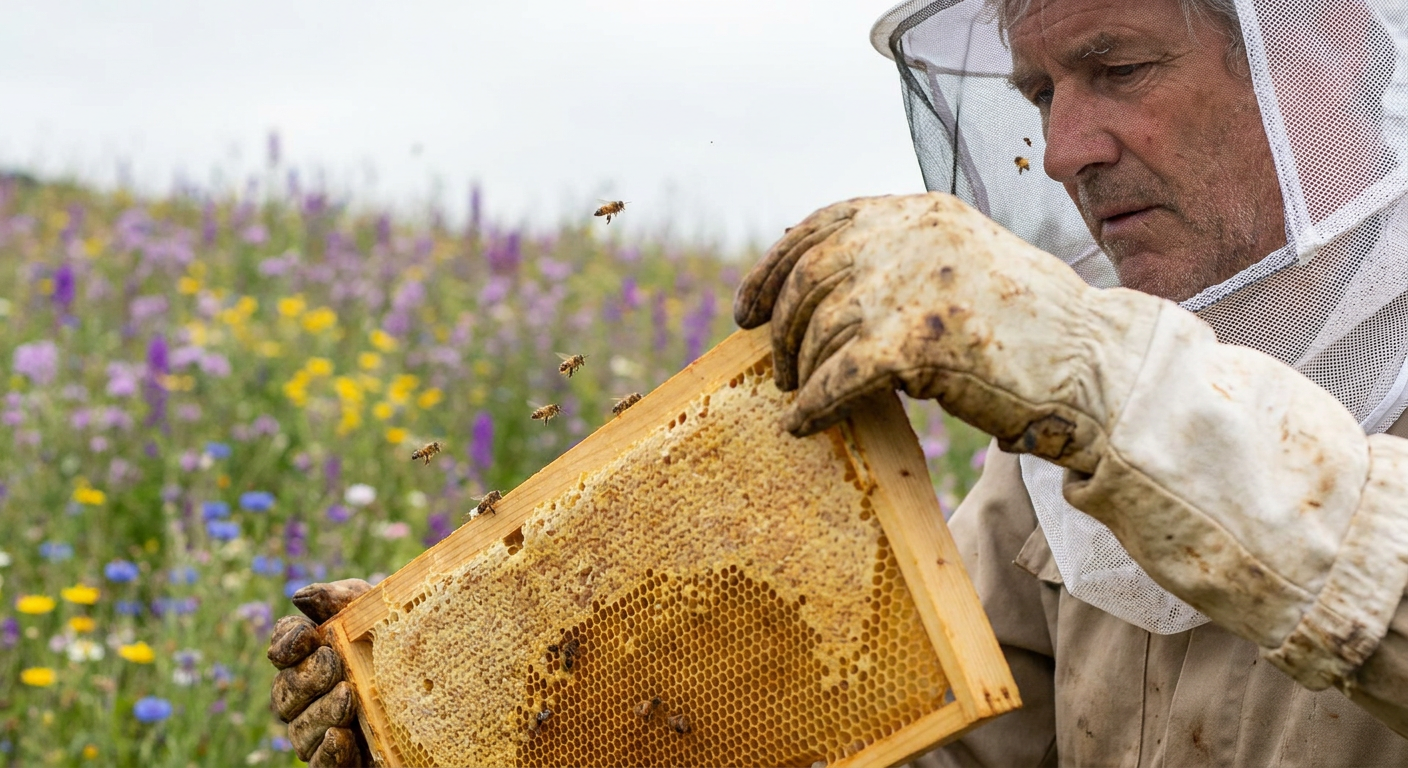
Source: Fal Beekeeper (photoreal pattern)
Prompt
A beekeeper inspecting a frame of honeycomb at the edge of a wildflower field, late morning, a few bees in the air around the frame, white veil pushed back off the face, propolis-stained gloves, soft overcast light, eye-level shot at 50mm, shallow focus, natural skin texture.
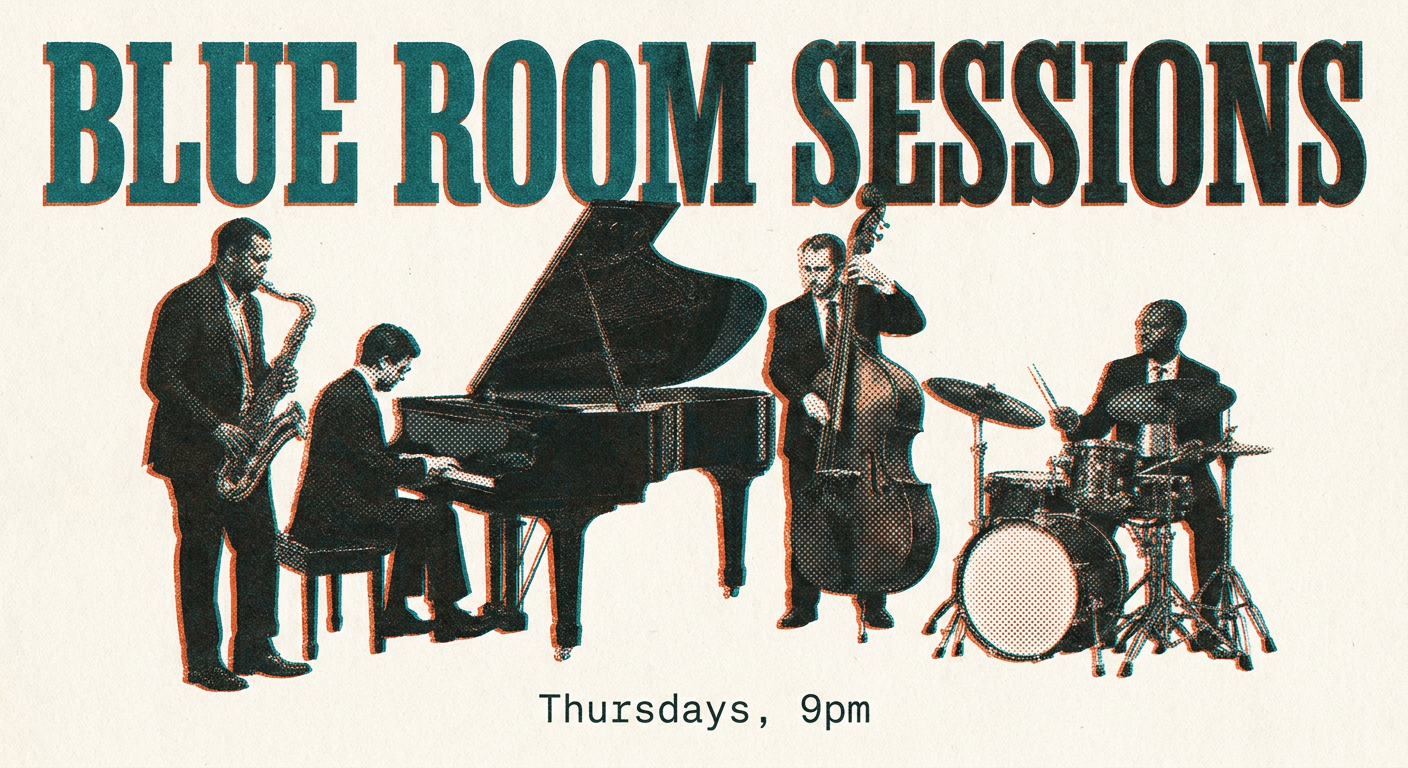
Source: Fal Typography poster pattern
Prompt
A risograph-style gig poster for a jazz quartet. Two-color print with overprinted teal and burnt orange, visible halftone texture. The words "BLUE ROOM SESSIONS" set large in a condensed slab serif across the top. In small monospace type at the bottom, "Thursdays, 9pm". Generous paper margin, slightly misregistered ink. The text stays sharp and correctly spelled.
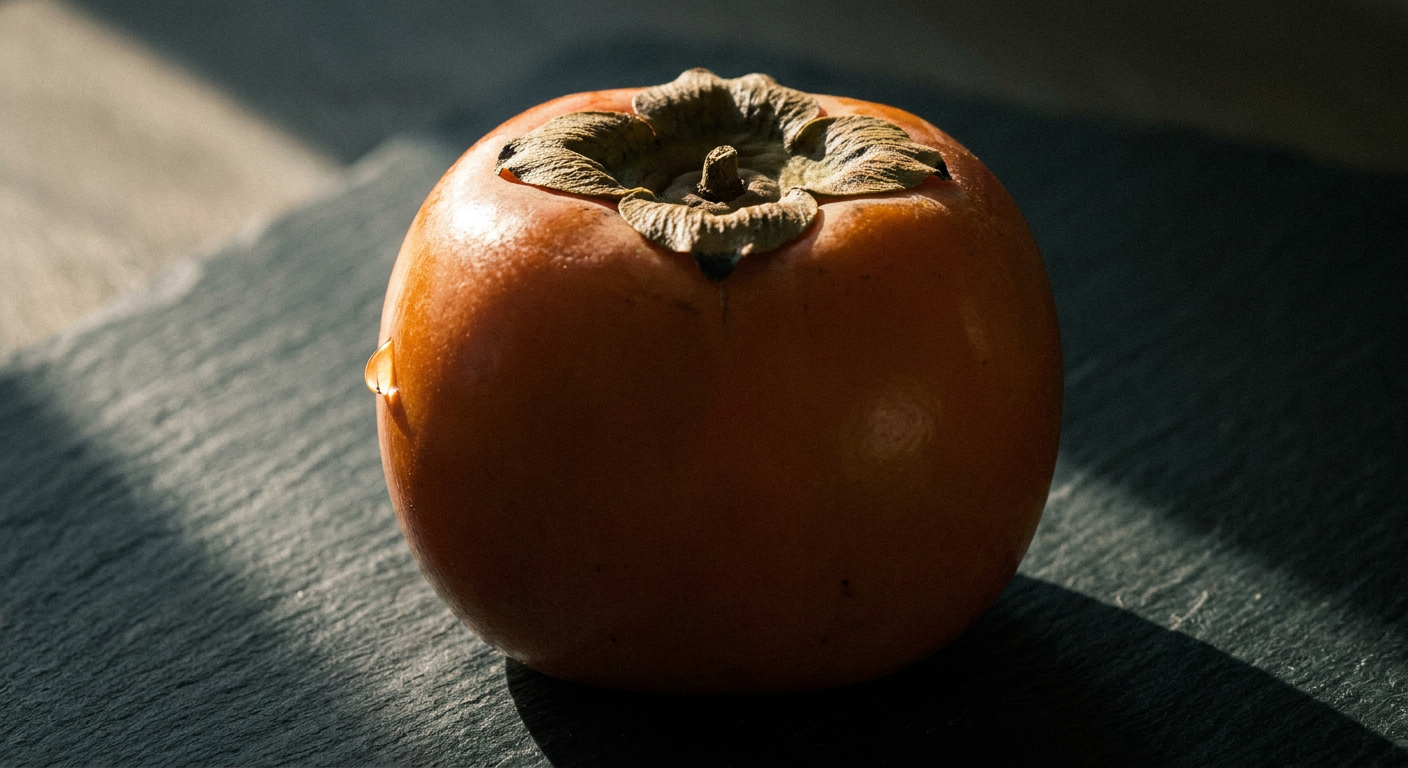
Source: Fal Directed still life
Prompt
A still life of a single ripe persimmon on a dark slate surface, lit by one hard light source from a window at camera left, deep falloff into shadow, a thin rim of light along the fruit's edge, shot on a macro lens so the waxy skin and a single bead of moisture read sharp, muted earthy grade.
Anti-slop rules that actually render
Swap praise words for observable facts: overcast skylight, chipped enamel, condensation trails. Pin "cinematic" to a grade ("teal shadows, amber highlights, hard rim"). Spell on-image words in quotes with font and placement. On edits, repeat the Lock list every pass—drift starts when you omit what must stay.
One change per edit message beats stacking ten instructions. Tell the model who the asset is for when layout matters (cookbook spread vs billboard). Cross-link: Nano Banana 2 reasoning guide, AI product photography, AI image generator.
When to use each example pattern
Route briefs by deliverable before you write: profile or avatar (tight face framing, explicit lens, skin texture), ecommerce main image (white seamless, 85% frame fill, shadow control), YouTube thumbnail (high contrast, negative space for the title), or product marketing (hero object plus a lifestyle variant). Picking the matching pattern first beats drafting a new brief from scratch.
The water-bottle pair teaches commercial hero lighting plus environment Lock/Change—copy that structure for skincare, hardware, or beverage SKUs. The beekeeper line is the photoreal “documentary” pattern: one human action, natural light, shallow focus, no fantasy adjectives. The risograph poster is your typography stress test: two ink colors, quoted headline, secondary line in a different family, and an explicit “text stays sharp” constraint. The persimmon still life is the chiaroscuro micro-study—use it when you need one object to sell texture before you add props.
On UltraPix, run the pattern that matches your deliverable first, then borrow sentences across patterns (lens language from persimmon + type rules from risograph). Link out to photorealistic habits when scenes need environmental realism beyond a studio sweep.
Art-director checklist before you tap Generate
Run this mental pass on every Nano Banana Pro brief—especially before you commit to a final 4K export.
- Subject identity — materials, scale, and silhouette (750ml bottle, slim cylinder, brushed cap).
- Action or pose — static hero vs hands-in-frame; if hands appear, specify glove color and what they touch.
- Setting — room type, time of day, weather, and one prop that anchors realism (condensation, dust in light).
- Camera — height, angle, focal length, aperture, and what stays sharp.
- Light — source direction, modifier (softbox, window), and fill; name the grade (cool shadows, neutral whites).
- Typography — exact quoted strings, hierarchy, and placement relative to the product.
- Constraints — no logos, no extra props, no relight on edits.
If any line is still a mood word ("epic," "stunning"), replace it with something a photographer could meter. When the checklist passes, paste into UltraPix, generate at story or square ratio first, then promote to 4K only after type and product edges look correct. For model context, read our Nano Banana Pro overview.
Run these prompts in UltraPix
Paste a prompt and generate in seconds with text-to-image and image-to-image.

FAQ
- Why do vague prompts look 'obviously AI'?
- Adjectives like 'masterpiece' or '8K' give the model nothing drawable. Replace them with light direction, materials, lens choice, and quoted text.
- How do Lock/Change edits work?
- List locked elements first (product, text, grade), describe a single change, specify intensity, then constraints. Regenerate one change at a time.
- Where do I run these prompts in UltraPix?
- UltraPix supports Nano Banana Pro–class models—paste prompts in text-to-image or image-to-image. Download or open UltraPix.
Get UltraPix
Download UltraPix to try text-to-image, background removal, and upscale in one app.